


Beschreibung
SPECIFICATIONS
Application: Laptop
Black and White Response Time: 10 ms
Bracket Type: Ordinary Bracket
Brand Name: Uperfect
Brightness: 250cd/m
Built-in Speaker: Yes
Certification: CE,FCC,RoHS,pse
Contrast Ratio: 1000:1,1100:1
Display Ratio: 16:9
Display Size: 15.6
Feature: Usb port,Gaming,Vertical mode
High-Dynamic Range: HDR400
High-concerned chemical: None
Horizontal Viewing Angle: 178°
Interface Type: HDMI-Compatible
Launch Date: 2022
Matrix color depth: 6 bit
Origin: Mainland China
Panel Type: IPS
Pixel Pitch: 0.28mm
Plug Type: EU Plug
Products Status: STOCK
Refresh Rate: 60 Hz
Refresh rate sync technology: AMD FreeSync
Resolution: 1920x1080,1920x1080
Response Time: 25ms
Screen Type: LCD
Screen curvature: None
Screen surface: MATT
Uperfect Model: UStation
Vertical Viewing Angle: 80°
UPERFECT Dual-stacked 15.6" Folding Monitors
15.6 inch folding monitor is based on the user's perspective and fully meets the user's needs. UPERFECT Dual Screen creates a one-stop workstation for multi-tasking so that work is no longer troublesome. User-defined work windows can bring more efficient work efficiency and productivity.
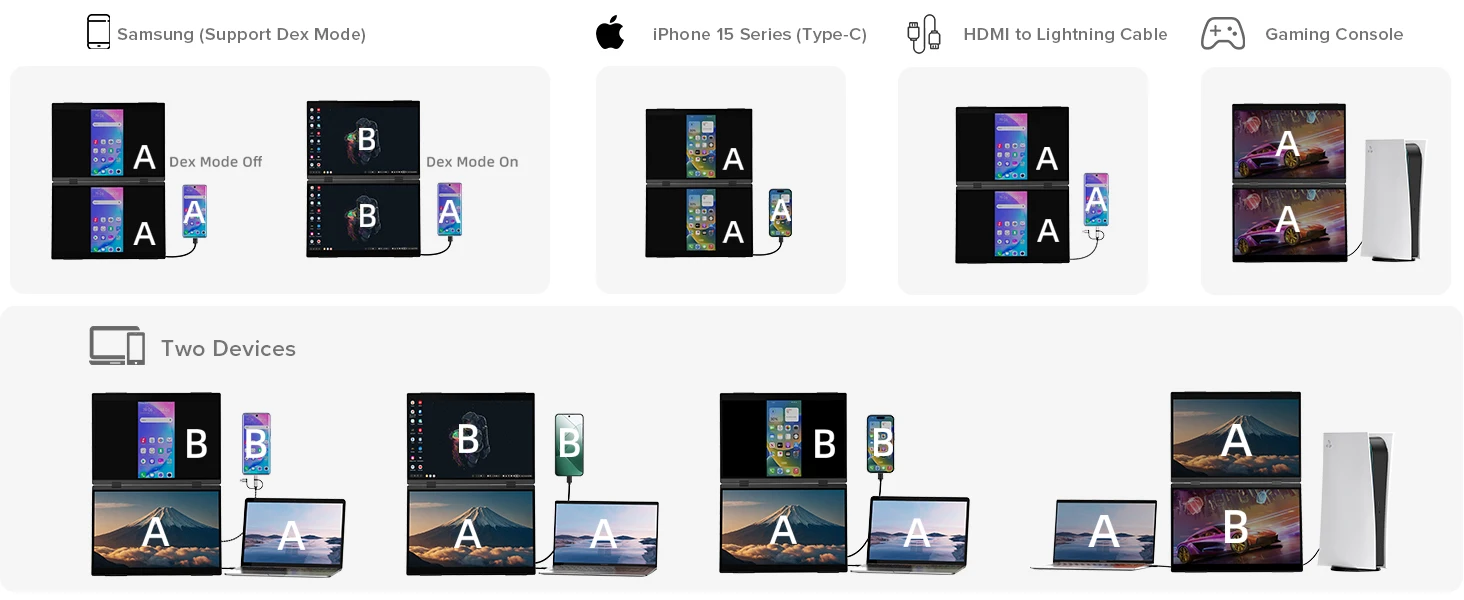
Independent Connection, Powerful Function: Users can easily manage different tasks; What makes it unique is the ability to connect two different devices simultaneously so that multiple users can collaborate independently
Ergonomic Design, Upgrade Workspace: The 15.6" dual stacked monitor expands your workspace to double, offering a larger visual area; Its vertical layout minimizes scrolling and page switching, reducing eye and neck strain; IPS matte screen, 100% sRGB color gamut and ΔE<2 guarantee accurate color reproduction; Anti-glare, flicker-free, and eye care features ensure extended and comfortable viewing
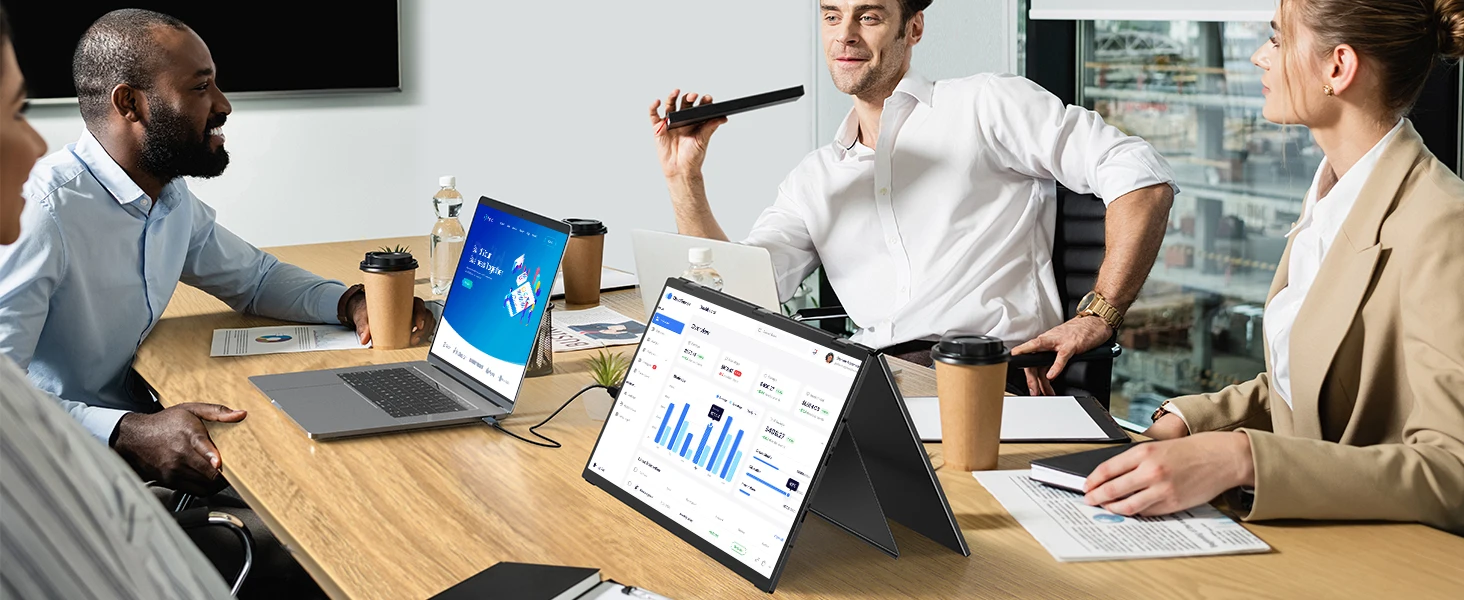
Versatile Folding Monitor: Share your screen effortlessly in all directions with 0-360° rotation, ideal for collaborating with colleagues or partners; Built-in gravity sensors enable 180° automatic rotation, and supports duplicate, expand, split, landscape, and portrait modes for easy switching; Perfect for multi-screen simultaneous and independent displays
Adjustable Stand: Its built-in adjustable stand allows you to easily tilt, swivel, and pivot the monitor, ensuring that you can find the perfect ergonomic position for your needs; Especially valuable for users looking to save desk space or create a multi-monitor setup
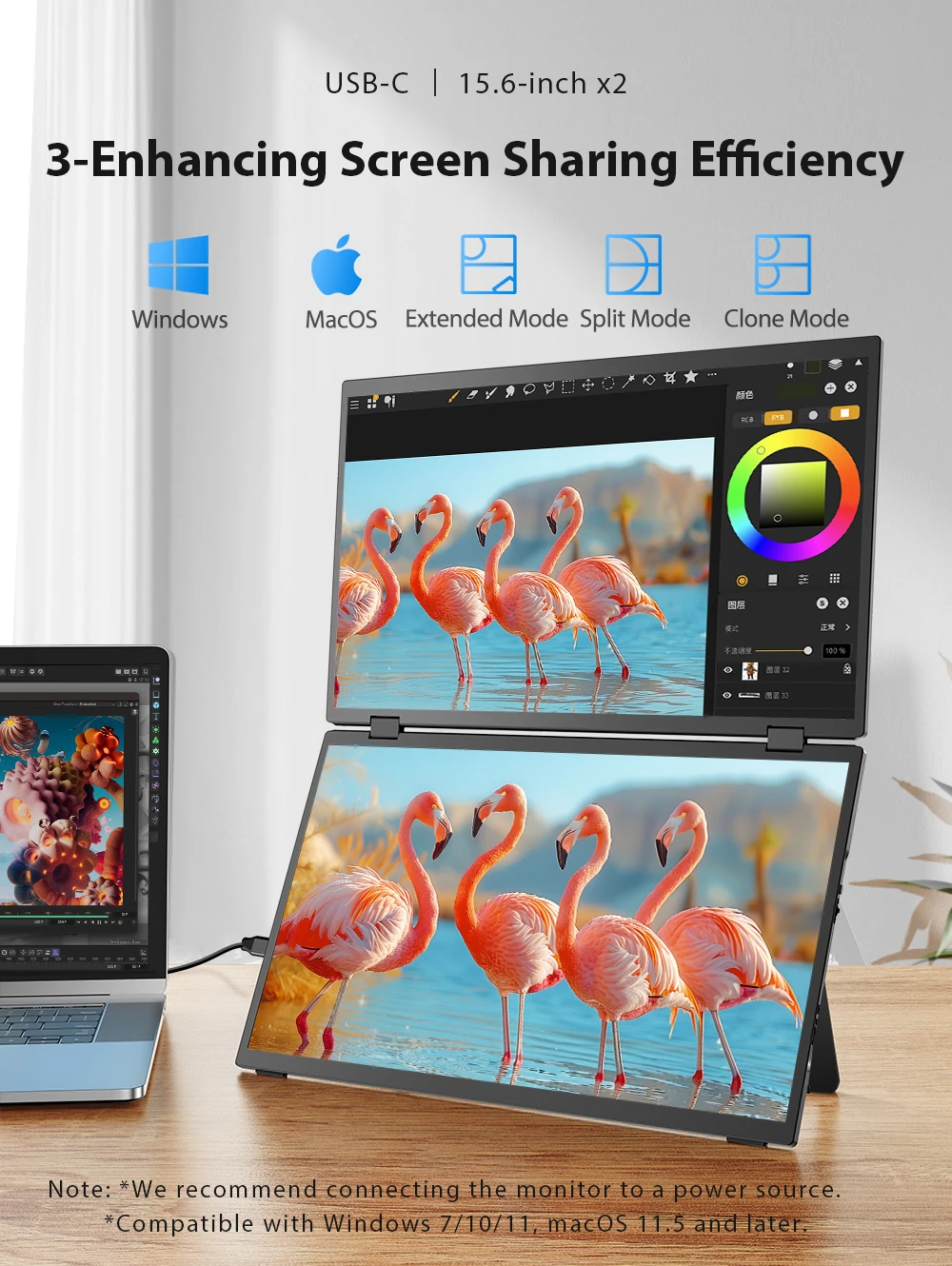
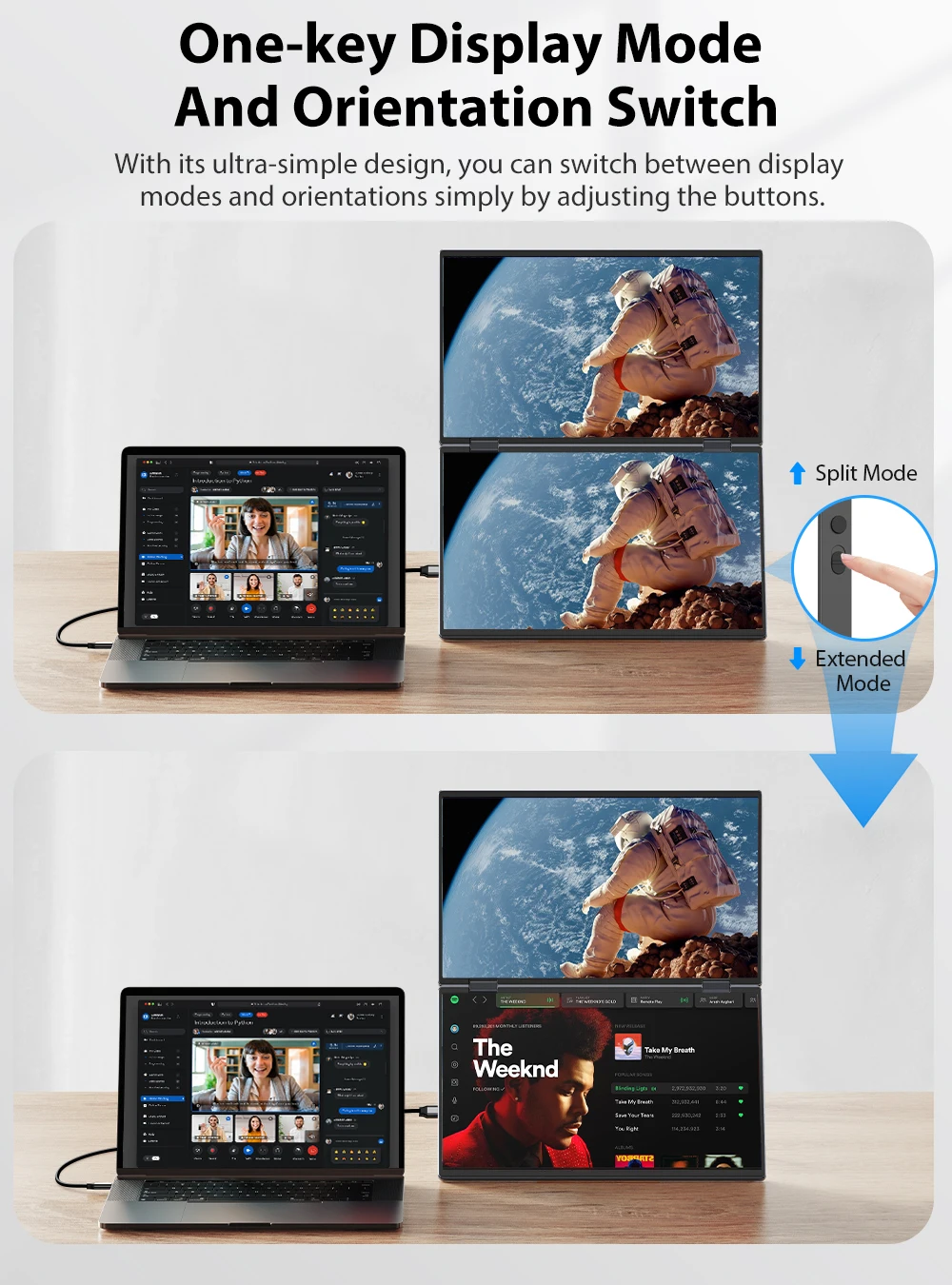
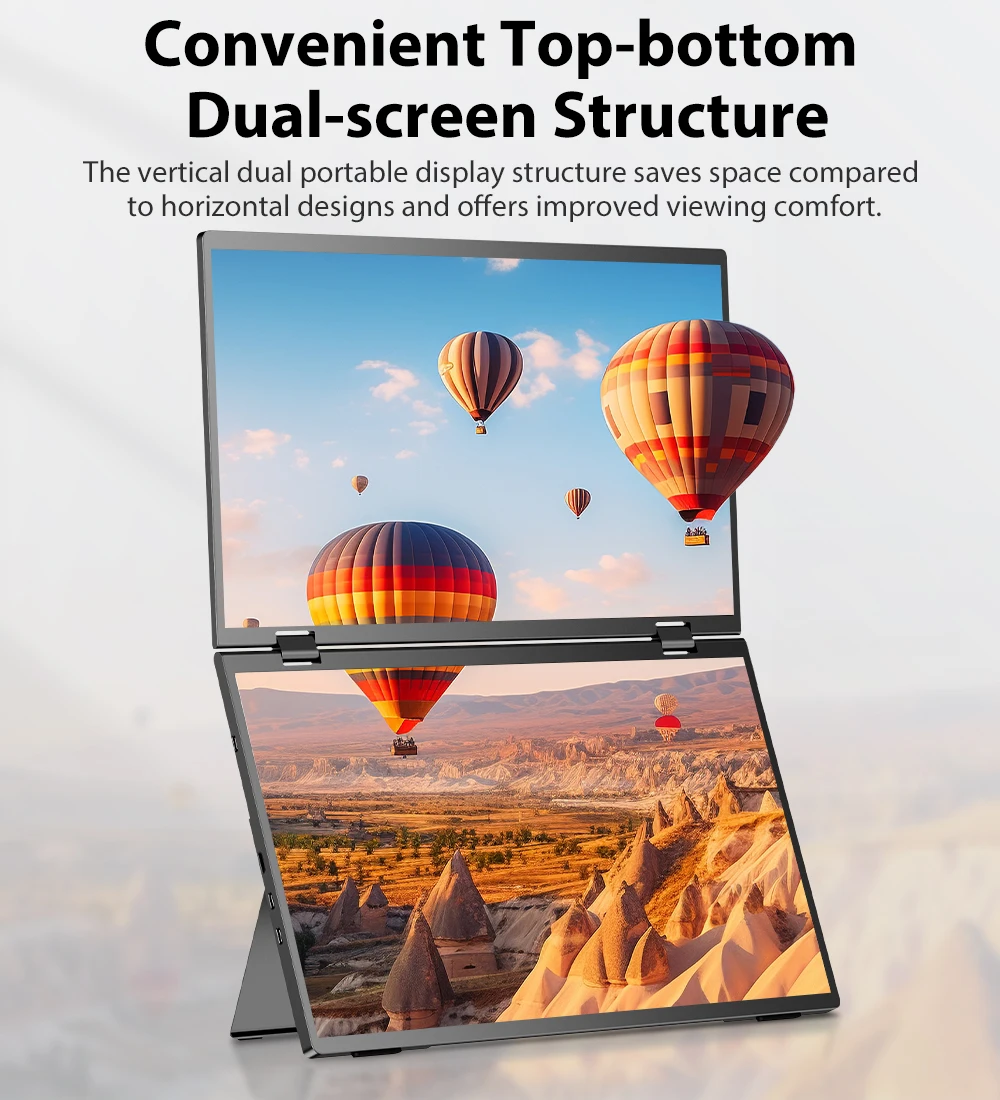
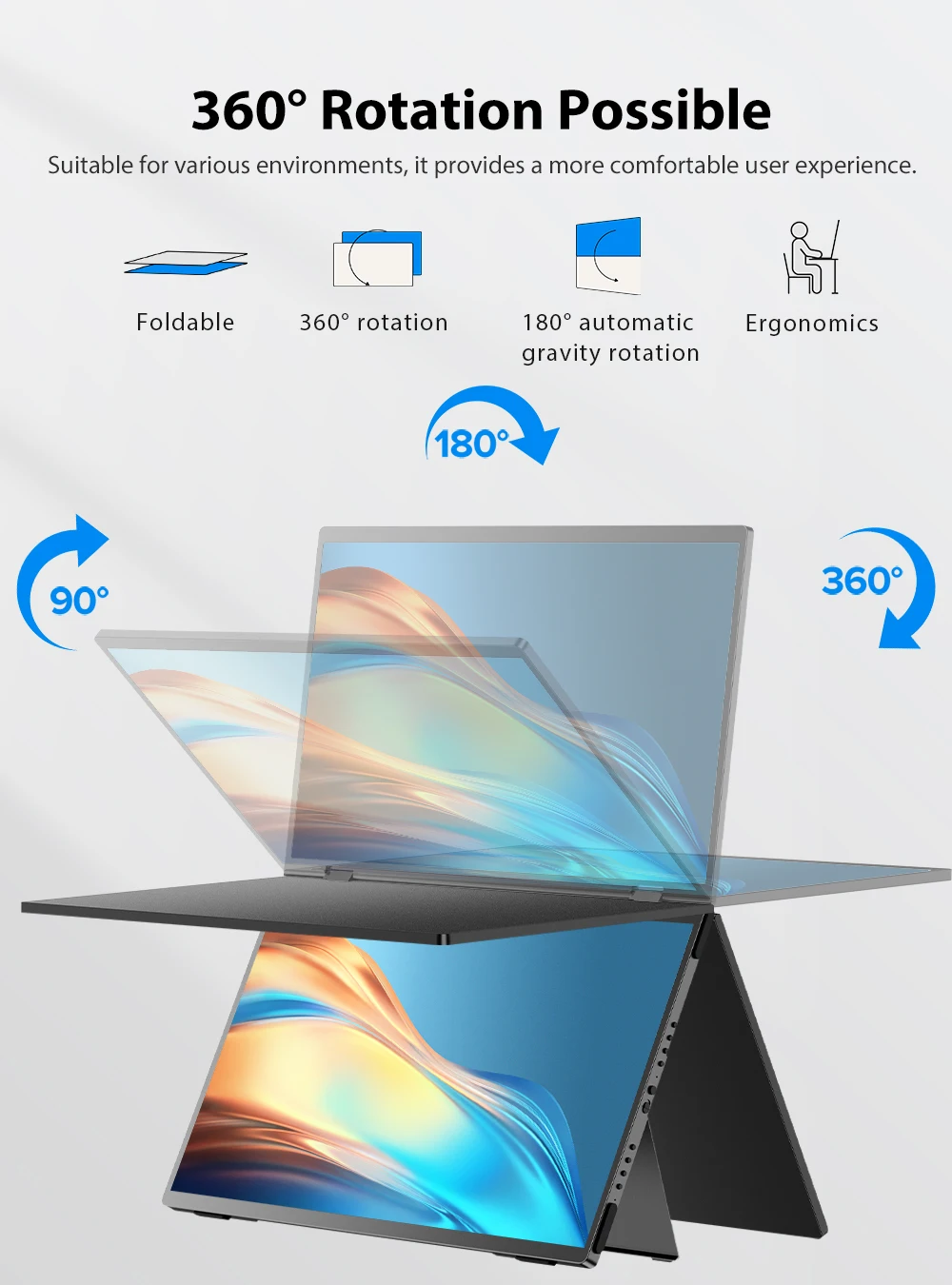
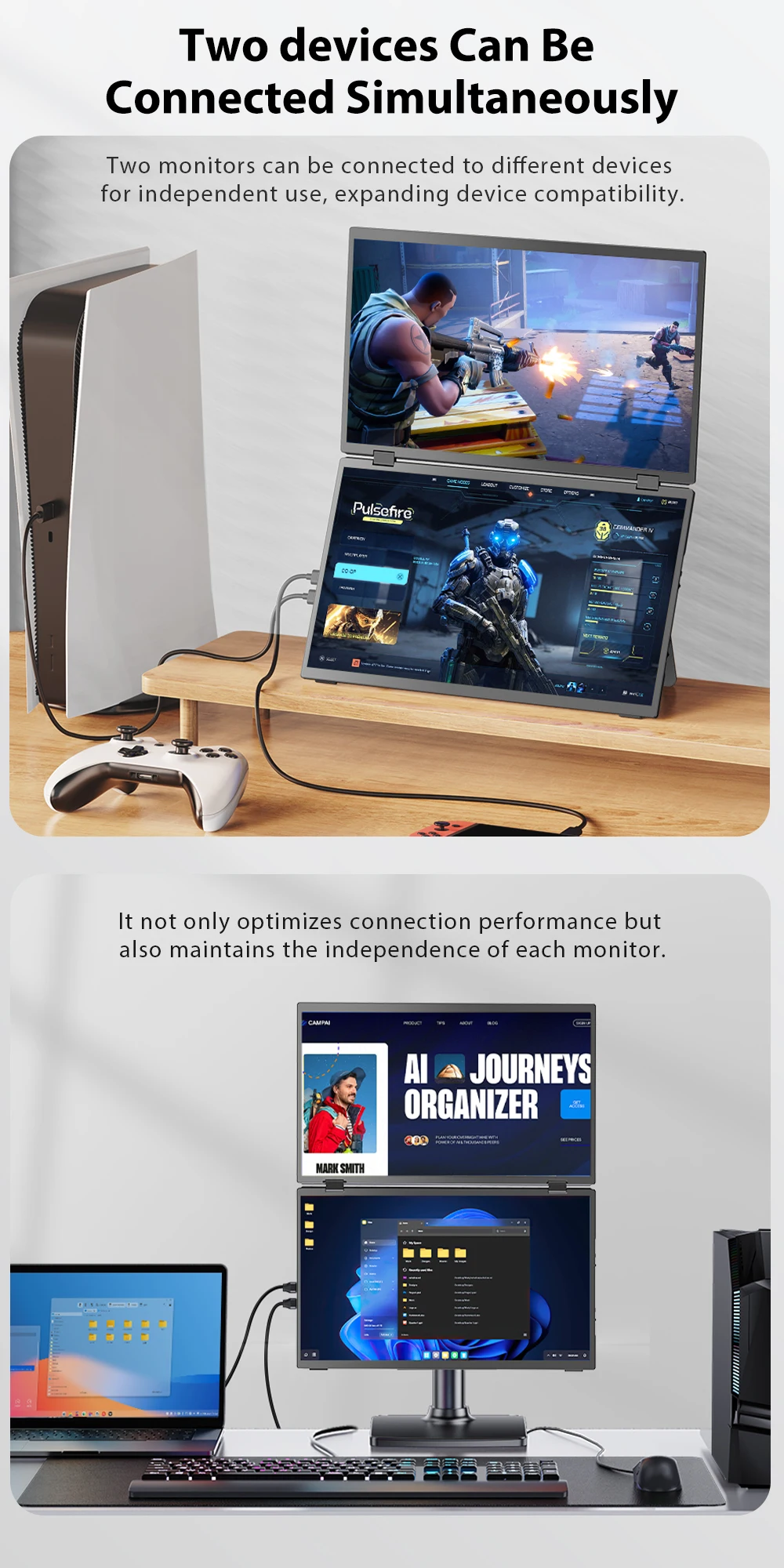
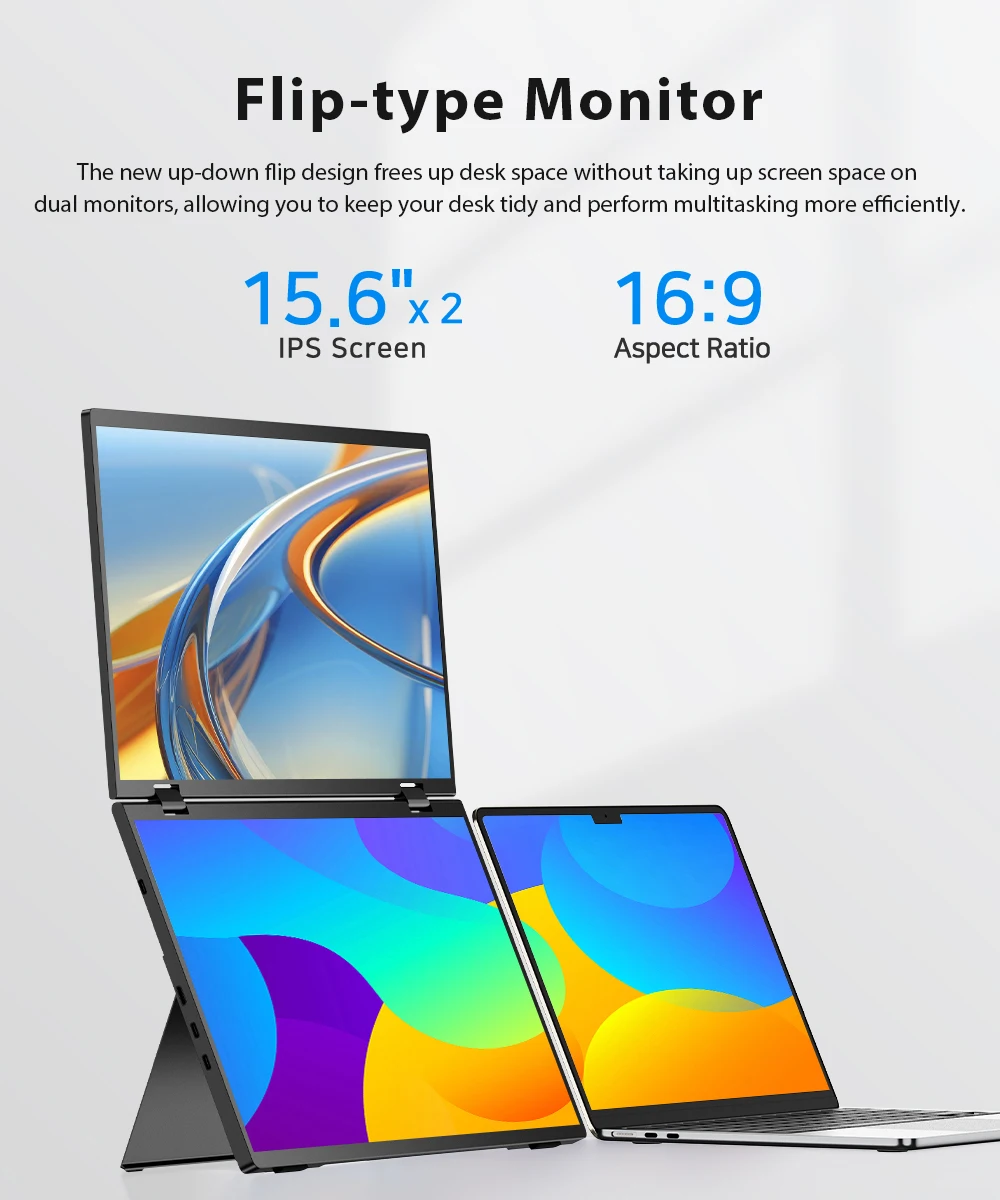
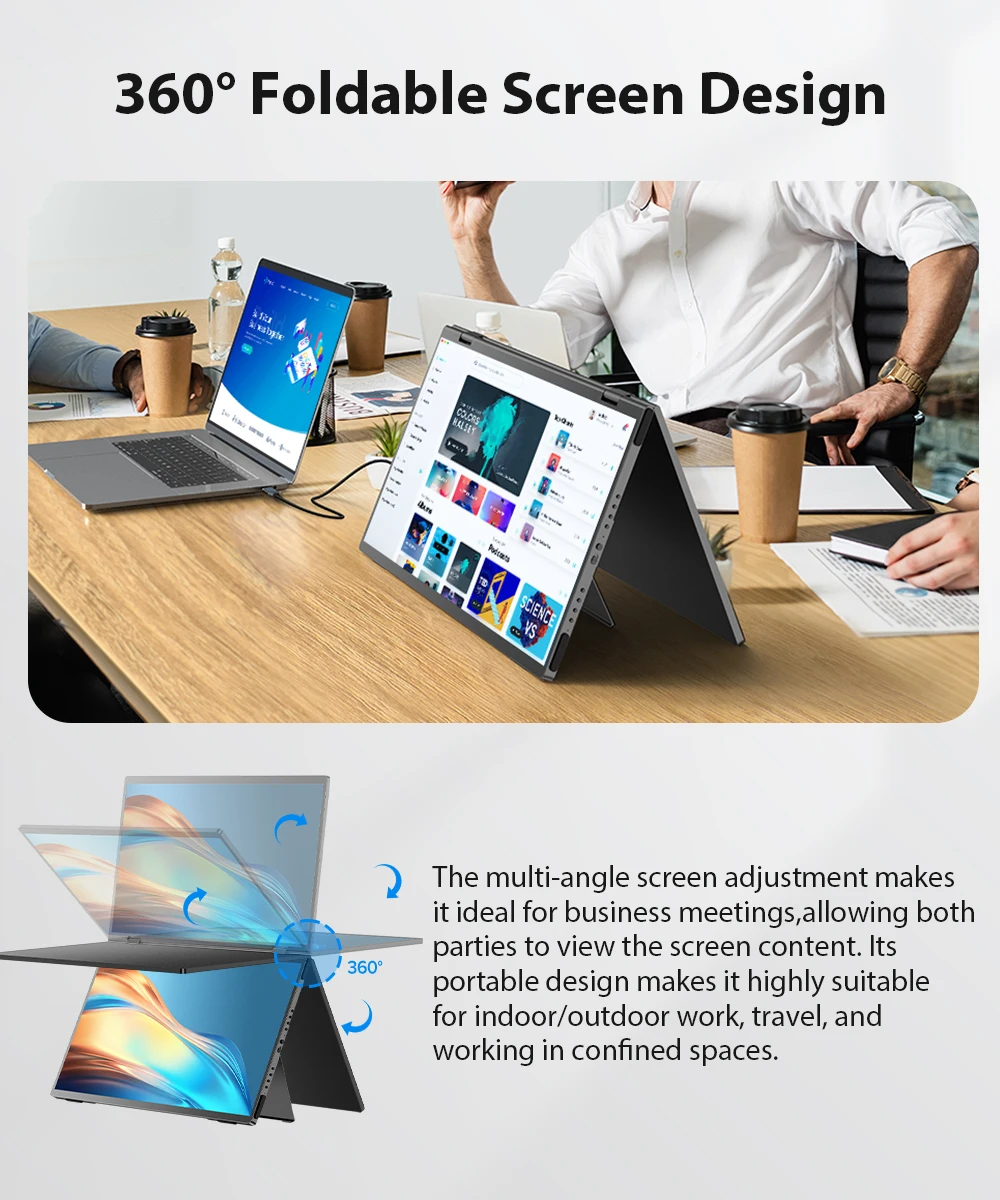
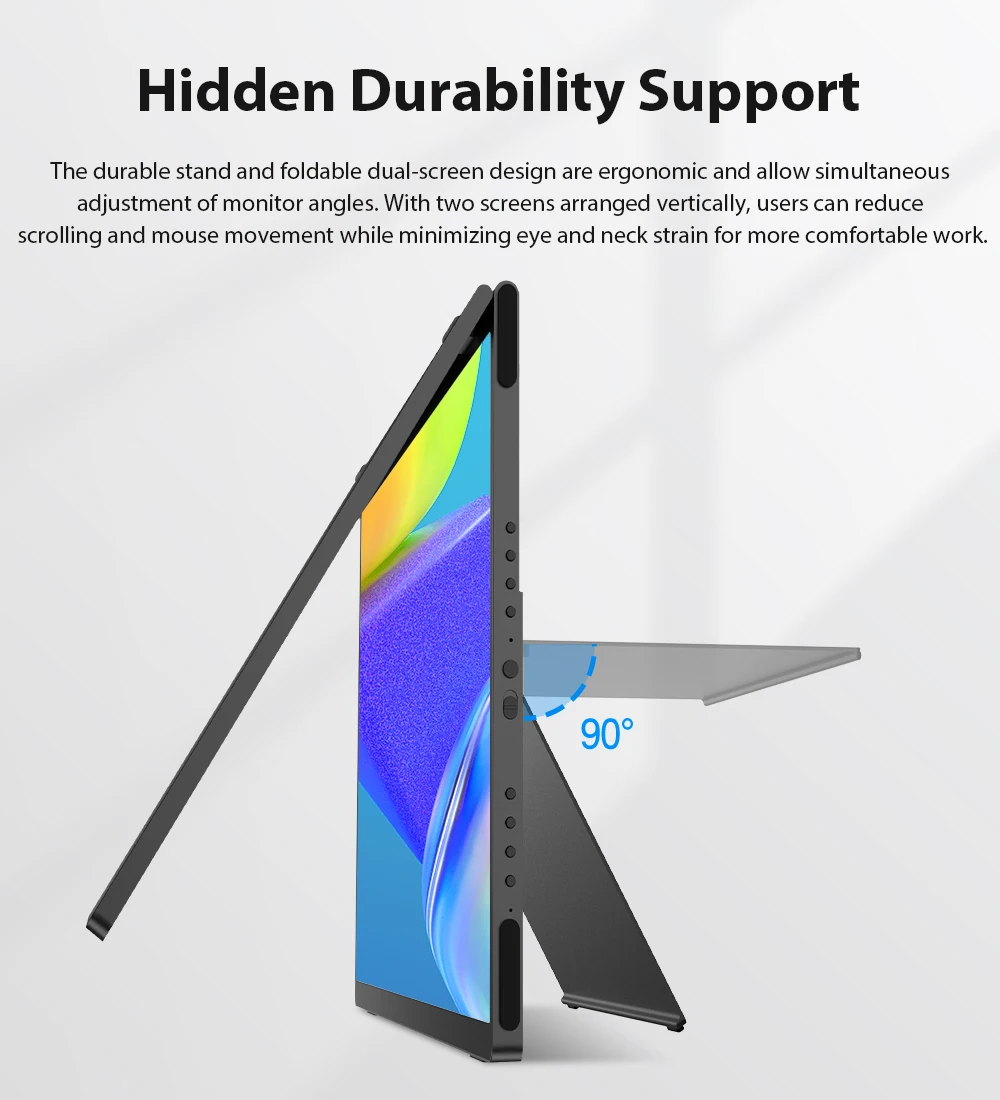
The adjustable stand and the foldable dual screen design are ergonomic and work together to adjust the display angle. Two screens stacked from top to bottom, aids in users scrolling less, while reducing the range of movements needed from eyes and neck. Create the most ergonomic all-in-one workstation.
Create an All-inclusive Workstation
Two screens, elegantly arranged, stacked from top to bottom, aids in users scrolling less, while reducing the range of movements needed from eyes and neck. The 15.6 inch folding monitor also reduces the space occupied by the desktop and effectively improve the utilization of desktop space. 15.6-inch Dual Screen is dedicated to creating the most portable one-stop workbench.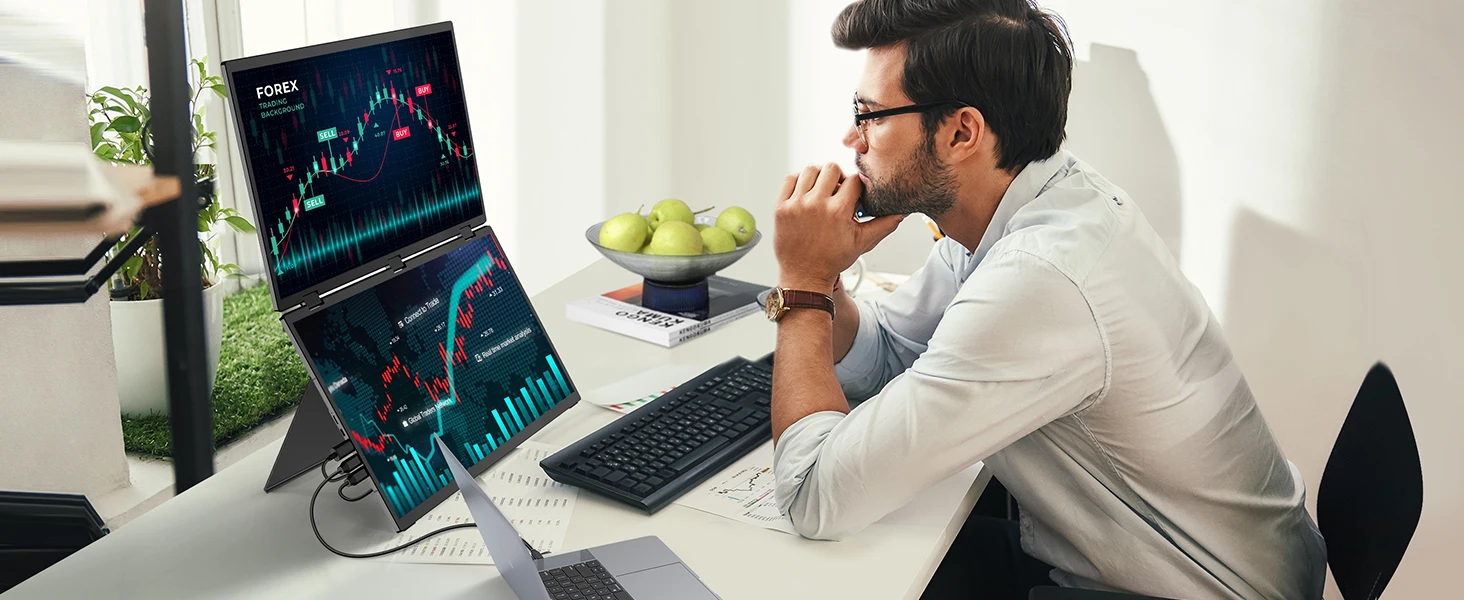
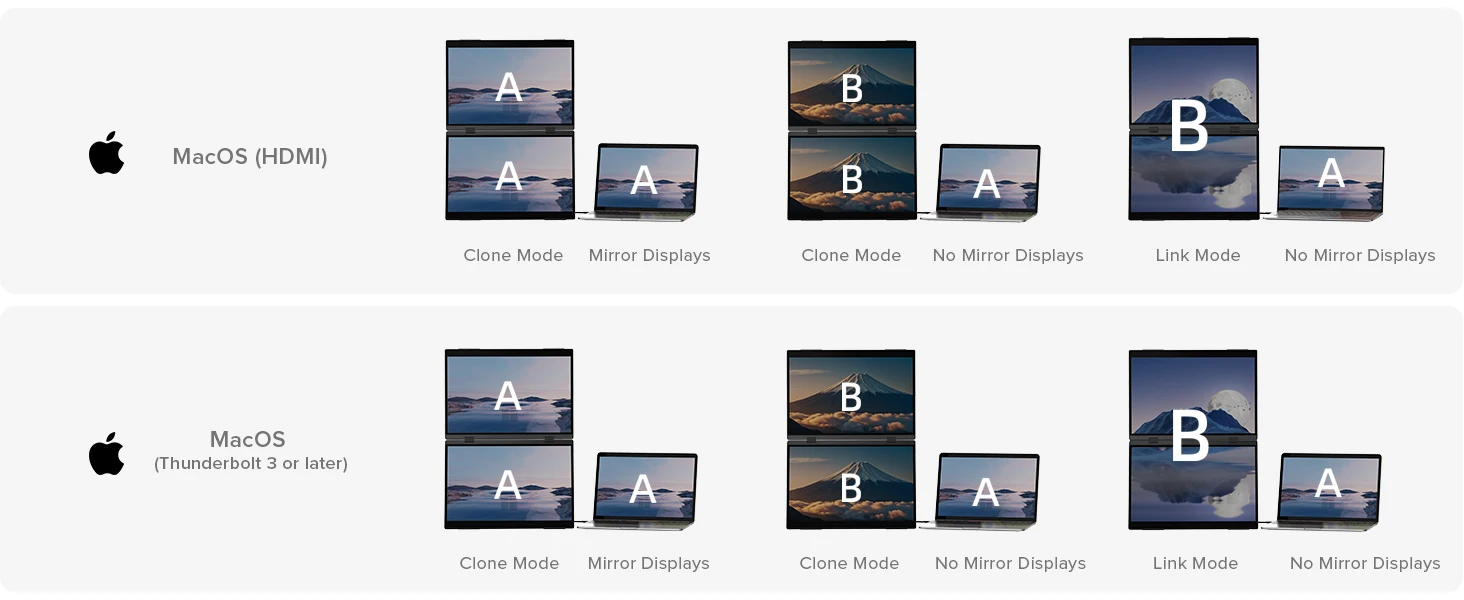
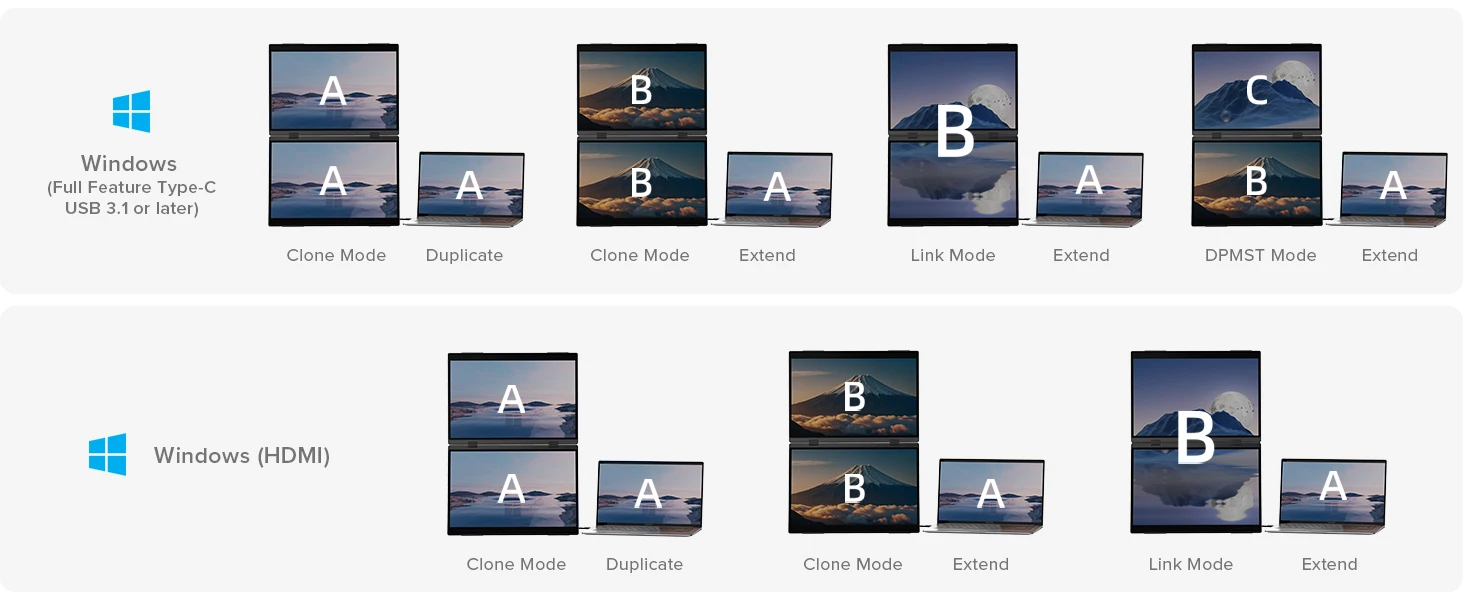
Use Mode Display
Mac Mode
Windows Mode
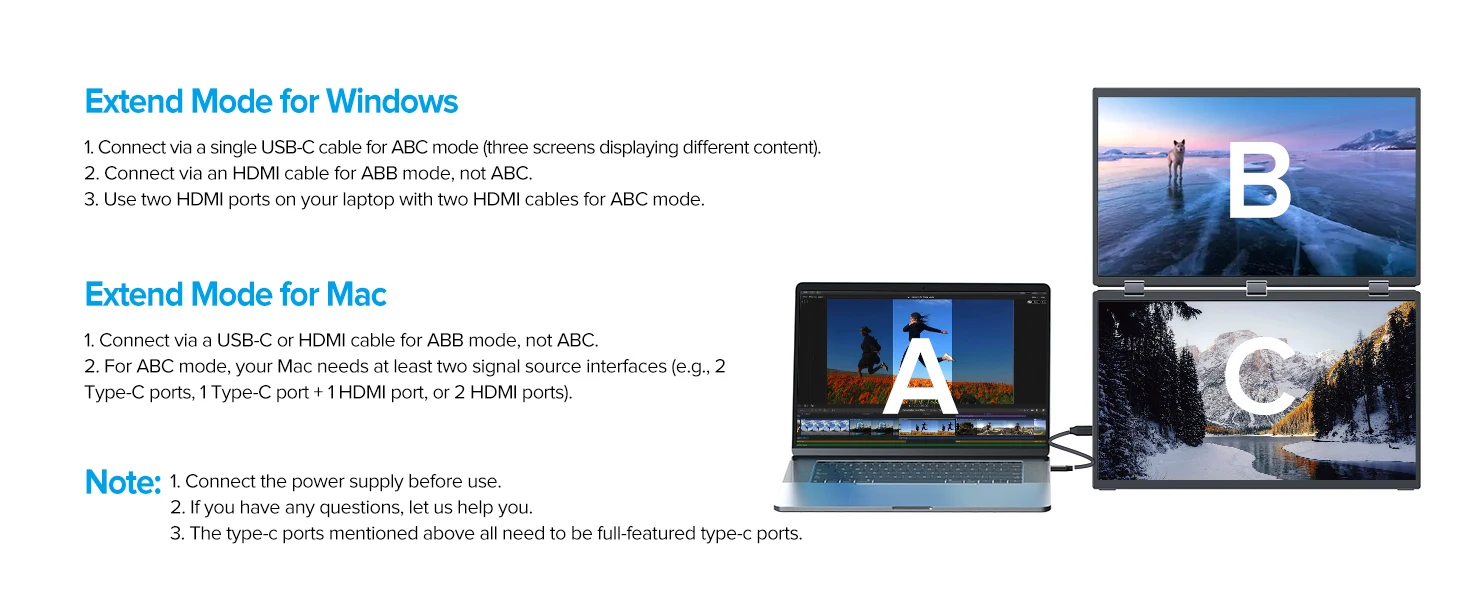
Specifications
Refresh Rate: 60Hz
Screen Size: 15.6 inch
Resolution: 1920 × 1080 (FHD)
Display Ratio: 16:9
Viewing Angle: 178°
Panel Type: IPS
Contrast Ratio: 1000:1
Brightness: 250 cd/m²
Color Depth: 6bit
Rated Power: 13W
Auto Rotation: No
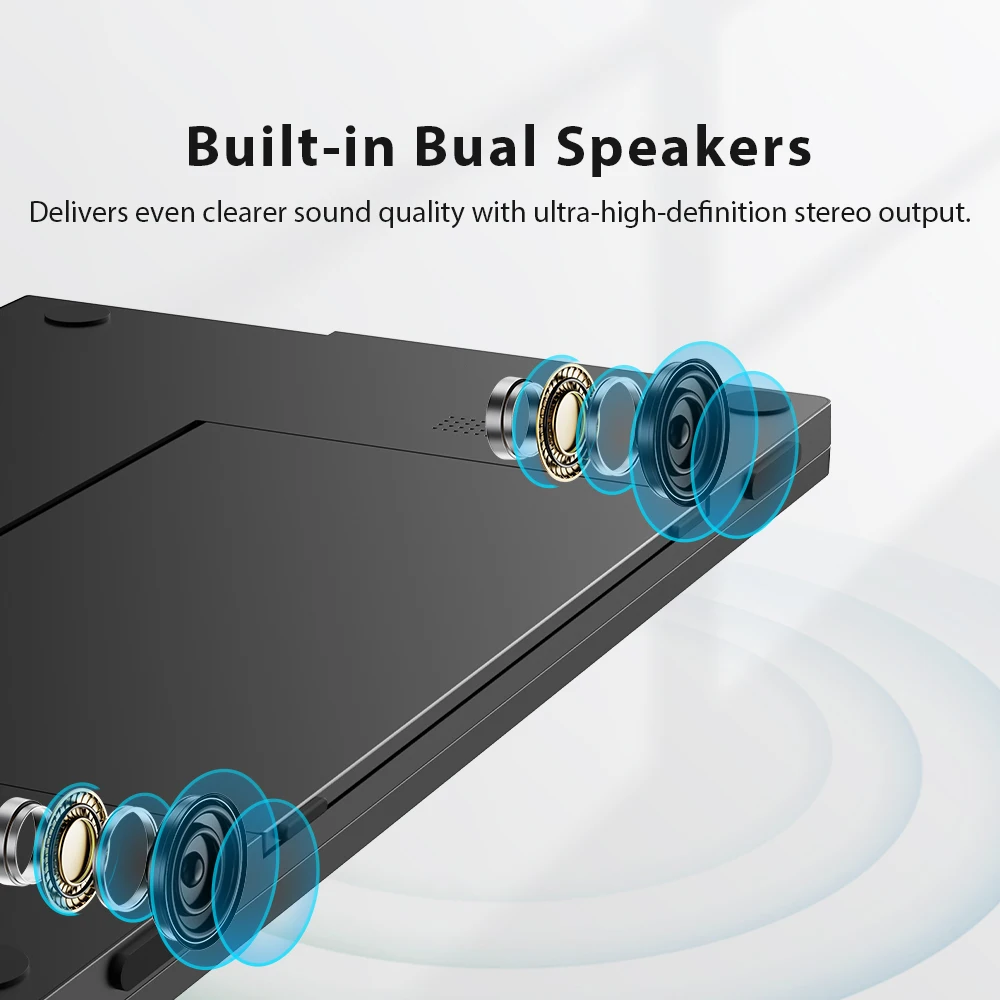
Built-in Speaker: Yes, 2*8Ω 1W
Built-in Battery: No
Display Area:344.16(W) × 193.59(H)MM
Interface:
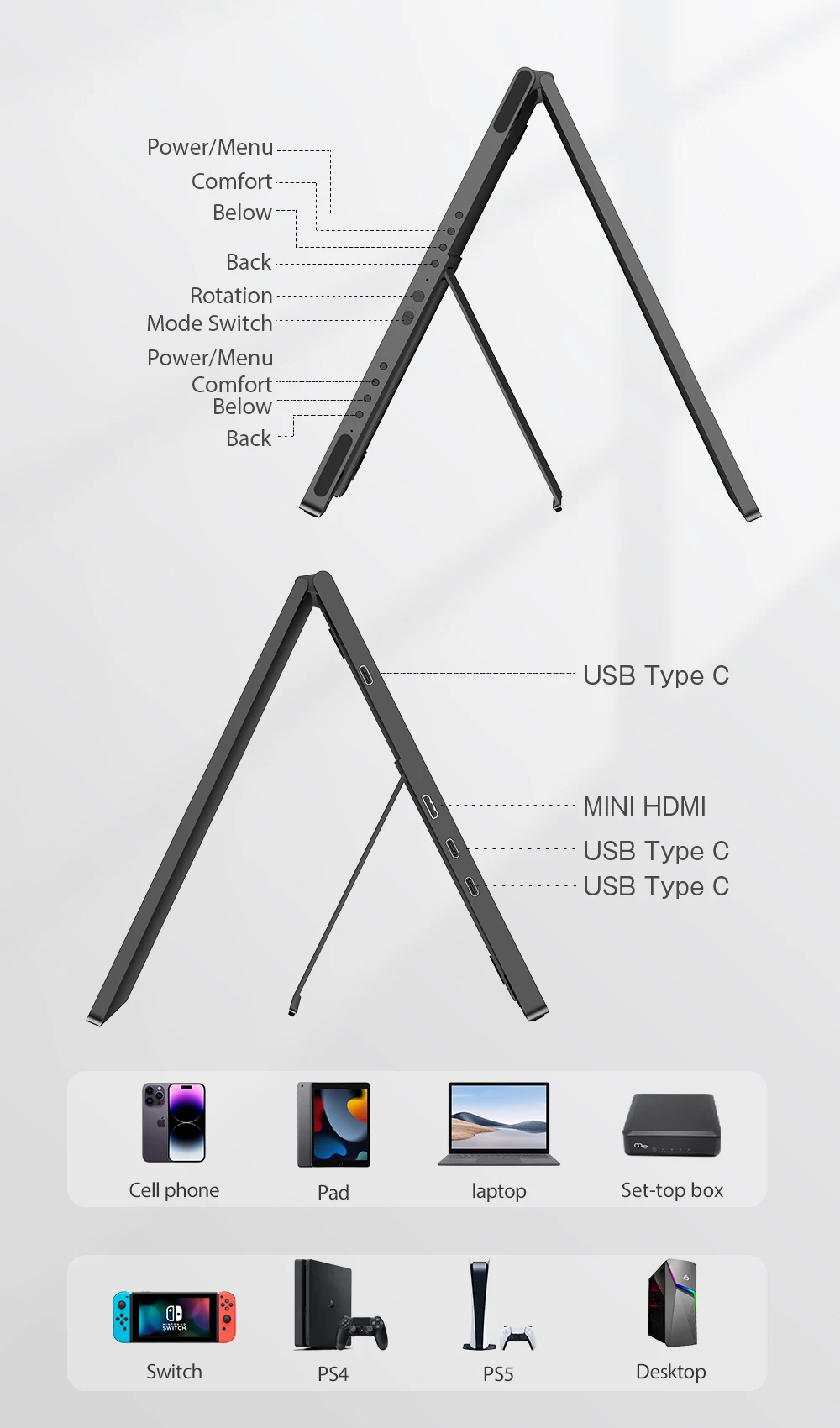
1*Mini HDMI (signal source)
2*Type C (full-function type c, USB PD protocol, can both power supply and transmit signals)
1*TYPE-C (signal source)
What's in the box?
1 × UPERFECT Foldable Dual Screen
1 × Power Adapter
1 × Manual
2 × Type C to Type C Cable
1 × mini HDMI to HDMI Cable
Support Single Type-C Cable For Display & Power Device Model
- Mobile Phones Support USB 3.1:
For Samsung: Samsung Galaxy S8, S8+, S9, S9+, S10, S10+, S10e,S20,S20+,S20 Ultra,S21,S21+,S21 Ultra,S22,S22+,S22 Ultra, Note 8, Note 9,Note 10
For Huawei: P50 Pocket/40 Pro/40/30/20/10/9 Series, Mate 60/60Pro/60Pro+ Series, Honor Note 10,Honor Magic V/3/Pro/Pro+/4/4 Pro/4 Ultimate;
For iPhone: 15/15 PLUS/15PRO/15 PRO MAX
For SONY: Xperia 1 / 1 II/1 III/1 IV/5/5 II/5 III/10 III/Pro/Pro-I;
For OnePlus: 7/7 Pro/8/8 Pro/9/9R/9 Pro;
For OPPO: Find X3 Pro/Reno 10x Zoom/Reno 5G/R17 Pro (OPPO RX17 Pro in Europe);
For LG: V60/V50/V40/V35/V30/V30+/V20 Series,G8/G7/G6/G6+(with Dec 2018 update)*functionality has not been tested*/G5 Series,Q8;
For HTC: 10/U Ultra/U11/U11+/U12+/U19e,Exodus 1;
For ASUS:ROG Phone/Phone II/Phone 3/Phone 5/Phone 5s Series,ZenFone 3 Ultra,ZenFone AR,ZenFone Ares;
For Motorola: Edge+/Edge S (China variant)/Moto G100 (global version for European market)/ Edge 20 Pro/30 Pro(global variant)/X30;
For Xiaomi: Black Shark 2/3/4;
For ZTE: Axon 9 Pro/10 Pro,Nubia Red Magic 6S Pro/7/7 Pro;
Others: BlackBerry Key2,BQ Aquaris X2,Essential Phone,Fairphone 4,Lenovo Legion Phone Duel/2 Pro/Duel 2,NOKIA 9 PureView, Microsoft Lumia 950/950 XL, HP Elite x3,Razer Phone/Phone 2,Fairphone 4;
*NOTE: If you can not find your devices above, please use IOS/Android to HDMI Adapter for connecting.
- Laptops Support Thunderbolt 3 or USB 3.1:
For Apple: Apple MacBook Pro (Late 2016) and newer,Apple MacBook Air (Late 2018) and newer ;
For Huawei: MateBook D/X/X Pro/E/13, MagicBook;
For ASUS: ZenBook, U4100UN, U5100UQ, ROG Series;
For HP: EliteBook Folio G1, Spectre 13,ZbookZbook Studio;
For Dell: G3/G5/G7 Series, Inspiron 5000/7000 Series, XPS12/13/15;
For Lenovo: Thinkpad E580/T470/T470s/T480/T480s/X1 Carbon (2017-2019);
For MIUI: Air 12.5"/133.3", Pro 15.6", MI Game NoteBook
For Google: ChromeBook Pixels
For Razer: Blade Stealth Series (All)
For Microsoft: Surface Book 2
Others: Acer Swift 5,MSI GS60 6QE,Gigabyte Aero 15x/15 x9/15 y9;
*NOTE: If you can not find your devices above, please use mini HDMI cable instead.
Warm tips:
If the screen signal is poor or flickers, make sure you are only operating the monitor with the adapter that came with it. With other adapters, the voltage may be insufficient. If the screen still flickers, please swap the HDMI cable to test.
Please check the Type-C port of your PC/Laptop whether it supports the transmission of audio and video signals (Thunderbolt3). If it doesn't, you'll need a "Type-C to HDMI" adapter for signal transmission.
If "No Signal" or "Power Saving Mode" appears, please switch the Type-C cable head to another side and reconnect the monitor.
The monitor turns on in the default power save mode. (Note: No save function in sleep mode, you need to close it manually.)
The portable monitor has no built-in battery, without touchscreen function,you can't charge it.you cant touch it, just connect and get started.
Pagamento e Segurança
Ihre Zahlungsinformationen werden sicher verarbeitet. Wir speichern keine Kreditkartendaten und haben keinen Zugriff auf Ihre Kreditkarteninformationen.