


説明
SPECIFICATIONS
Bluetooth: BT 4.2
Brand: OTTOCAST
Brand Name: OTTOCAST
Car compatibility: Only for car built in original wired CarPlay
Connectors: USB Type-A, USB Type-C
Expandable Memory: USB flash drive, up to 128 GB
Hign-concerned Chemical: None
Incompatible Phone: NOT for HUAWEI,not for xiaomi redmi
Incompatible car: NOT for BMW,ot for TSL
Memory RAM+ROM: 2GB LPDDR4+16GB eMMC
Model: Play2Video PRO
Operating System: Closed Android 12 system. Cannot download other apps
Origin: Mainland China
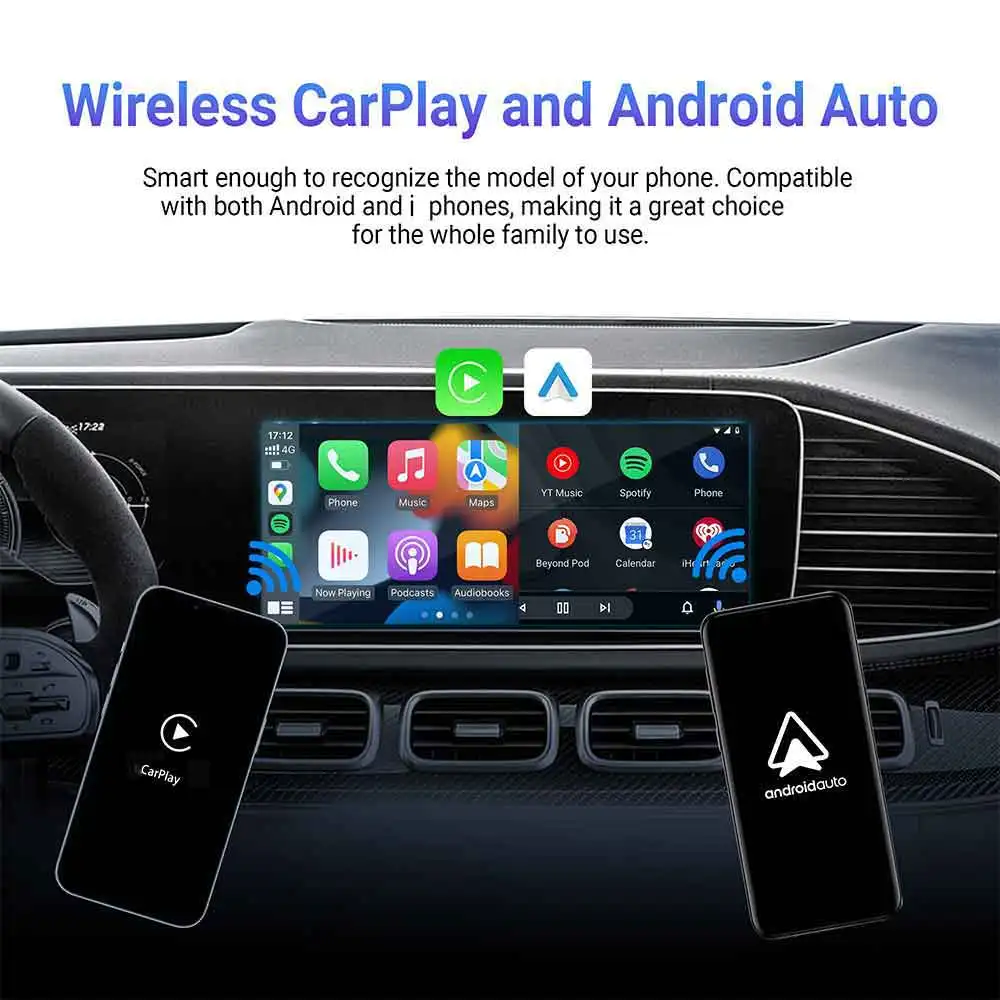
Phone compatibility: for Android 11 and above / for iPhone 6 and above
Wi-Fi: Dual-band 802.11 a/b/g/n/ac 2.4 GHz + 5 GHz
Warm tip:
Play2Video PRO is supported for YouTuber , for Netflix, for IP TV Smaters PRO
🚫❌cannot download any other apps.
🚫❌cannot support for HUAWEI ,not for xiaomi redmi.
1.Play2Video PRO adapter only fit car with factory wired CarPlay .
2.If your car is non-touch screens ,please choose the option with air mouse.
3.If your car is made in Japan, its current will be relatively small, sometimes resulting in insufficient power supply. Before placing an order, please note your car model and contact us via message.We will provide a free bypass power cable with your package.

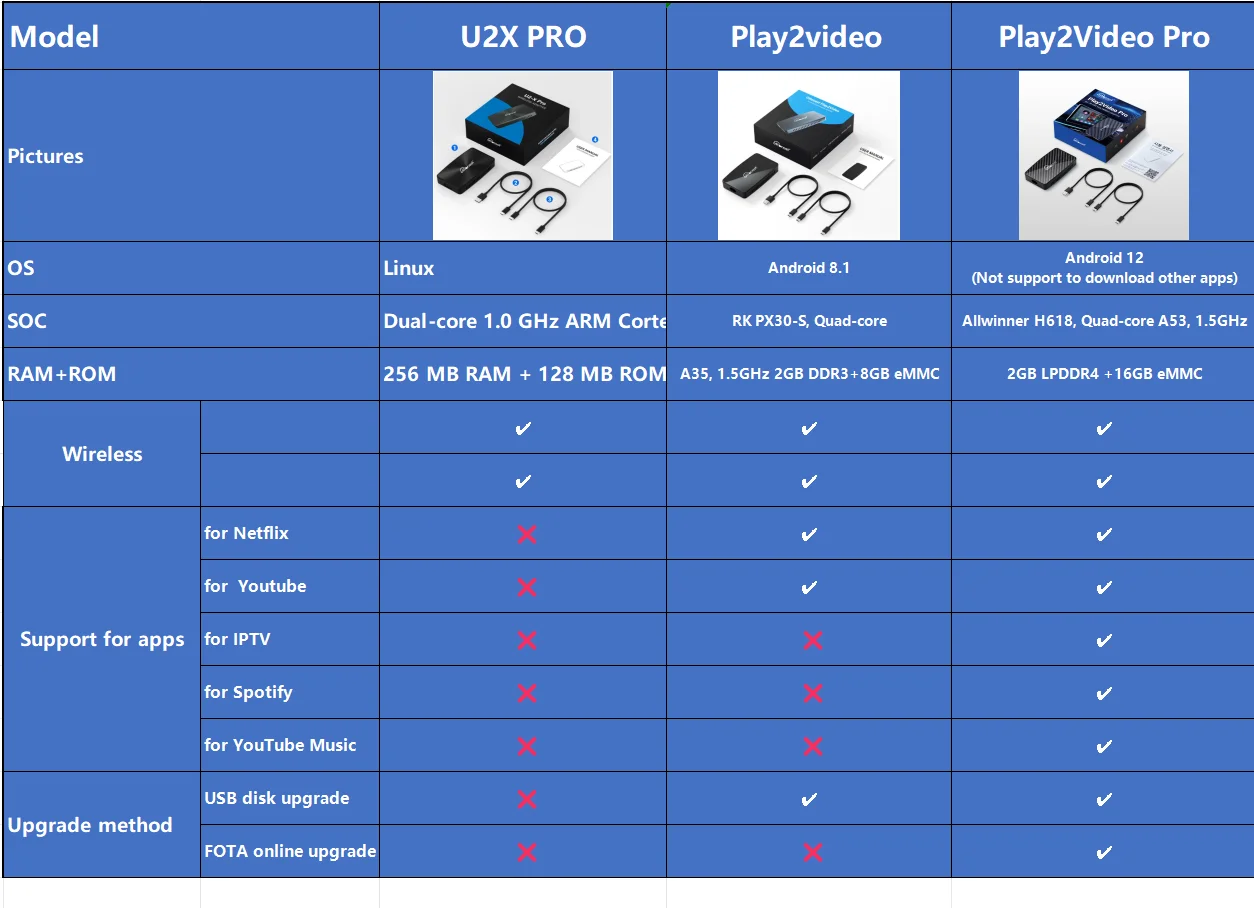
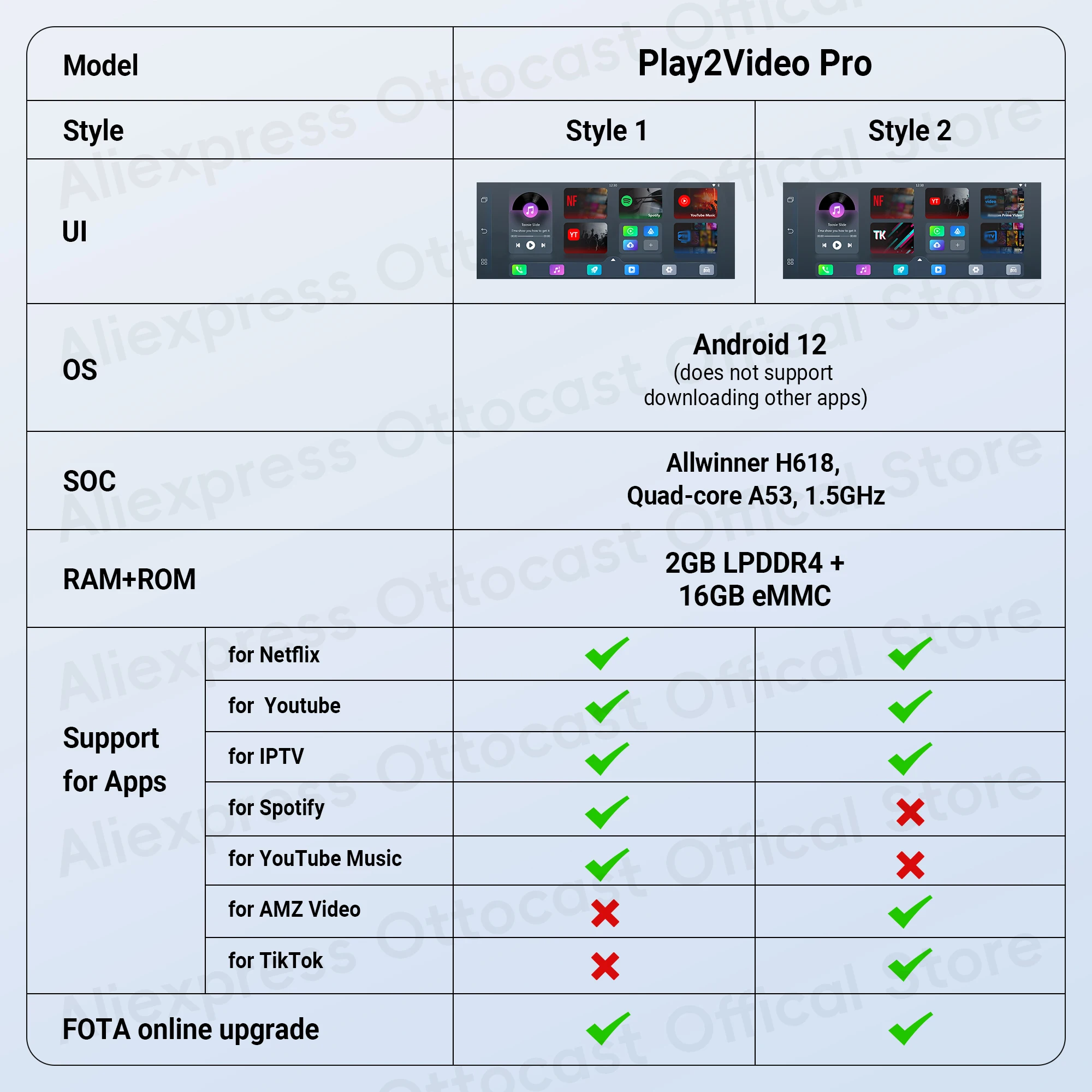
●All-in-One Multimedia Adapter
Play2Video Pro is with Integrated video playback, wireless carplay/android auto and USB multimedia function.
●Customize your own homepage
The newly upgraded Play2video pro can customize your main interface. You can hide the sidebar while watching videos. Make the viewing experience more comfortable.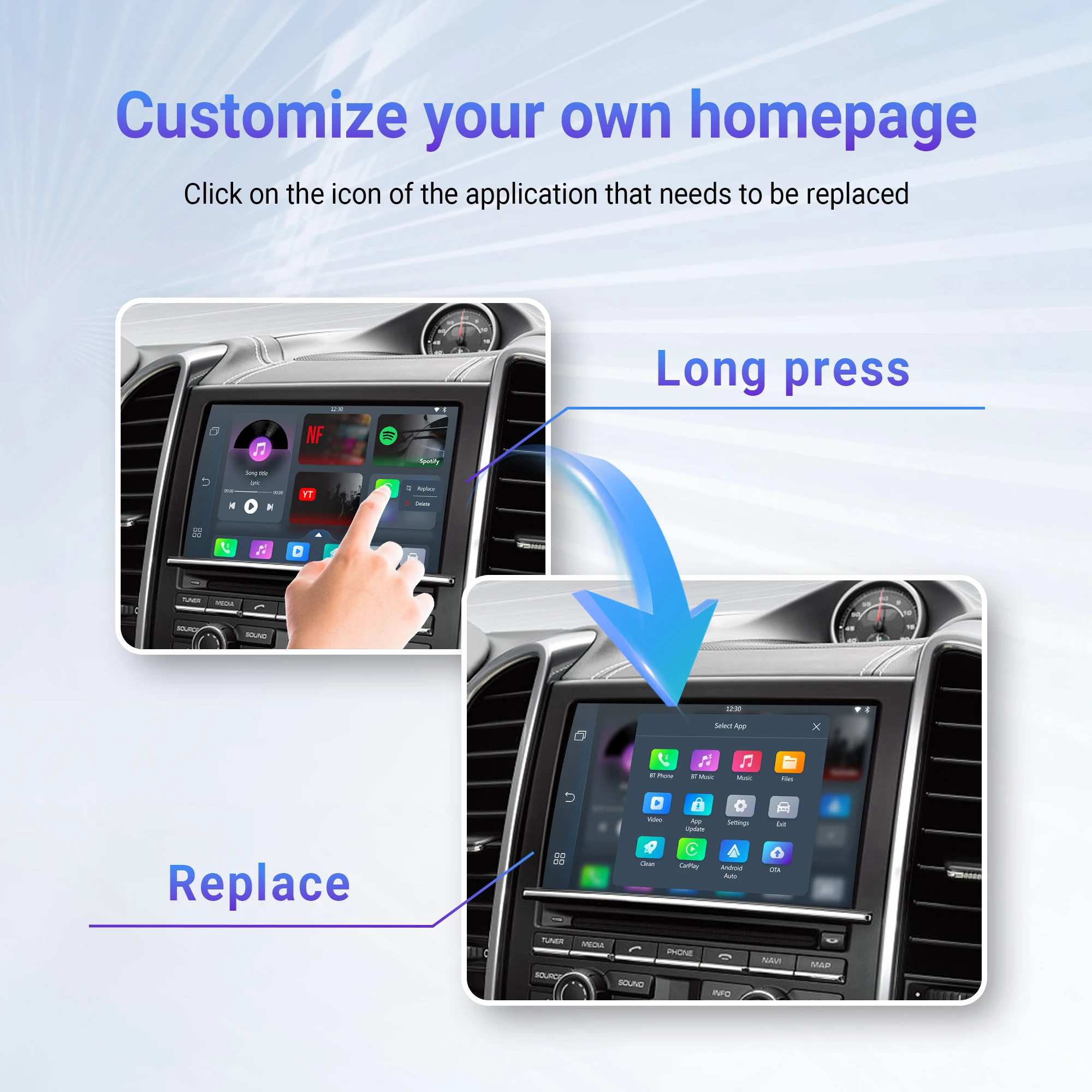
●Support for youtube & for Netflix & for IP TV Smaters PRO
Upgraded on the basic 2 in 1 adapters, support for two videos : for Youtube and for Netflix. In the car you could watch massive video resources at will . Long trips won't be boring.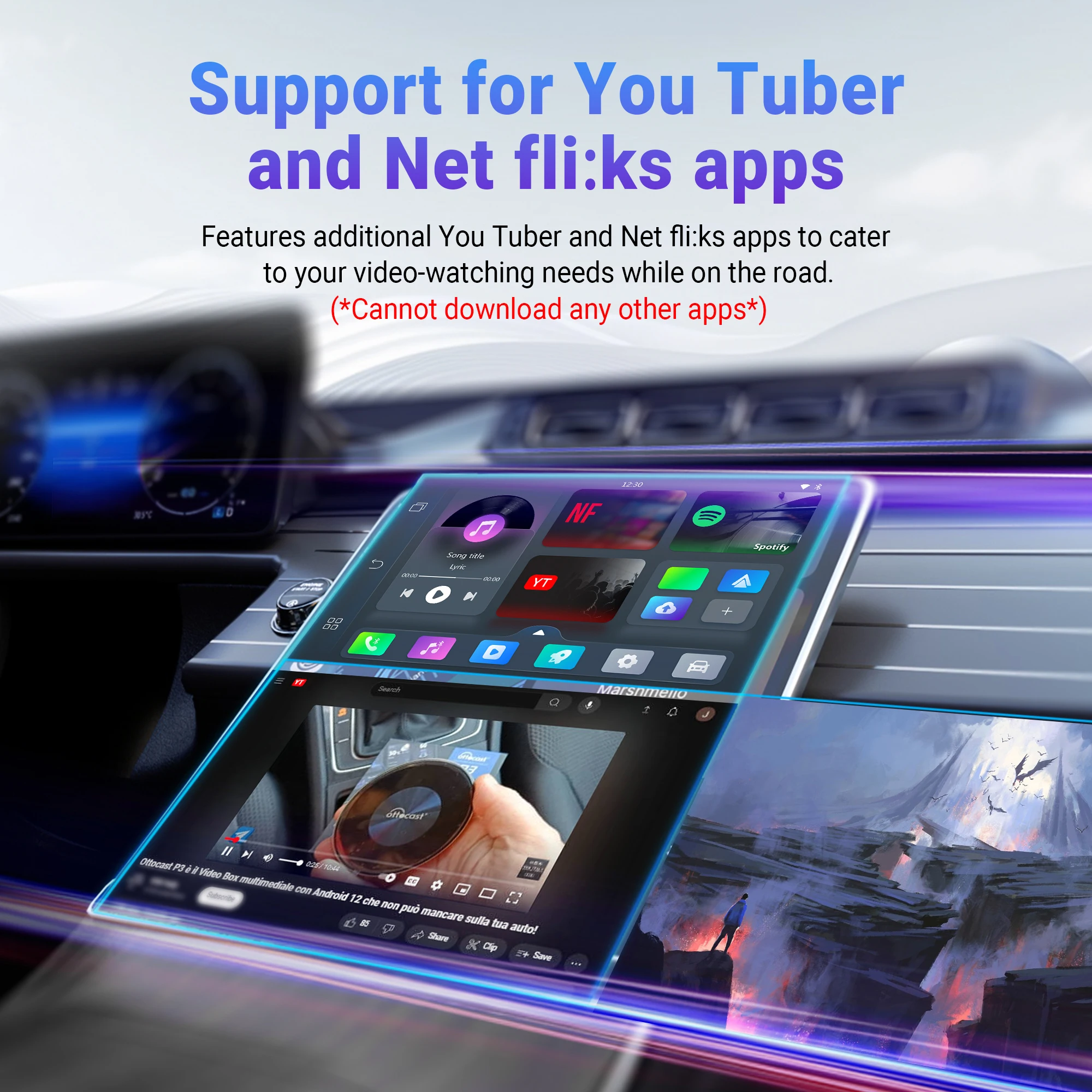 ●Online video playback
Apps for USB flash drive multimedia playback .
Even if you are in the car, you can watch for youtuber and for Netflix. This will not make your journey boring. Watch any time , anywhere.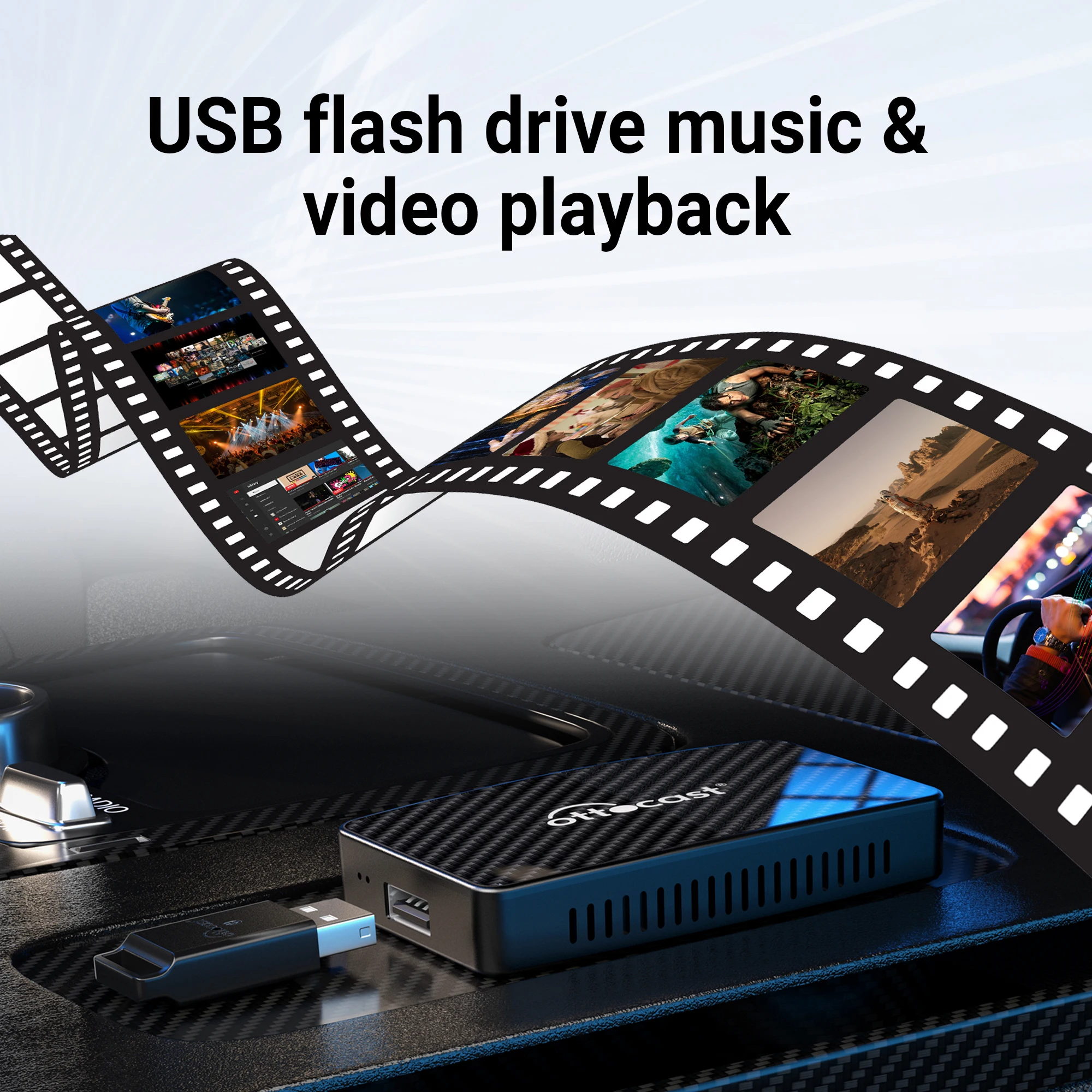
●Support online upgrade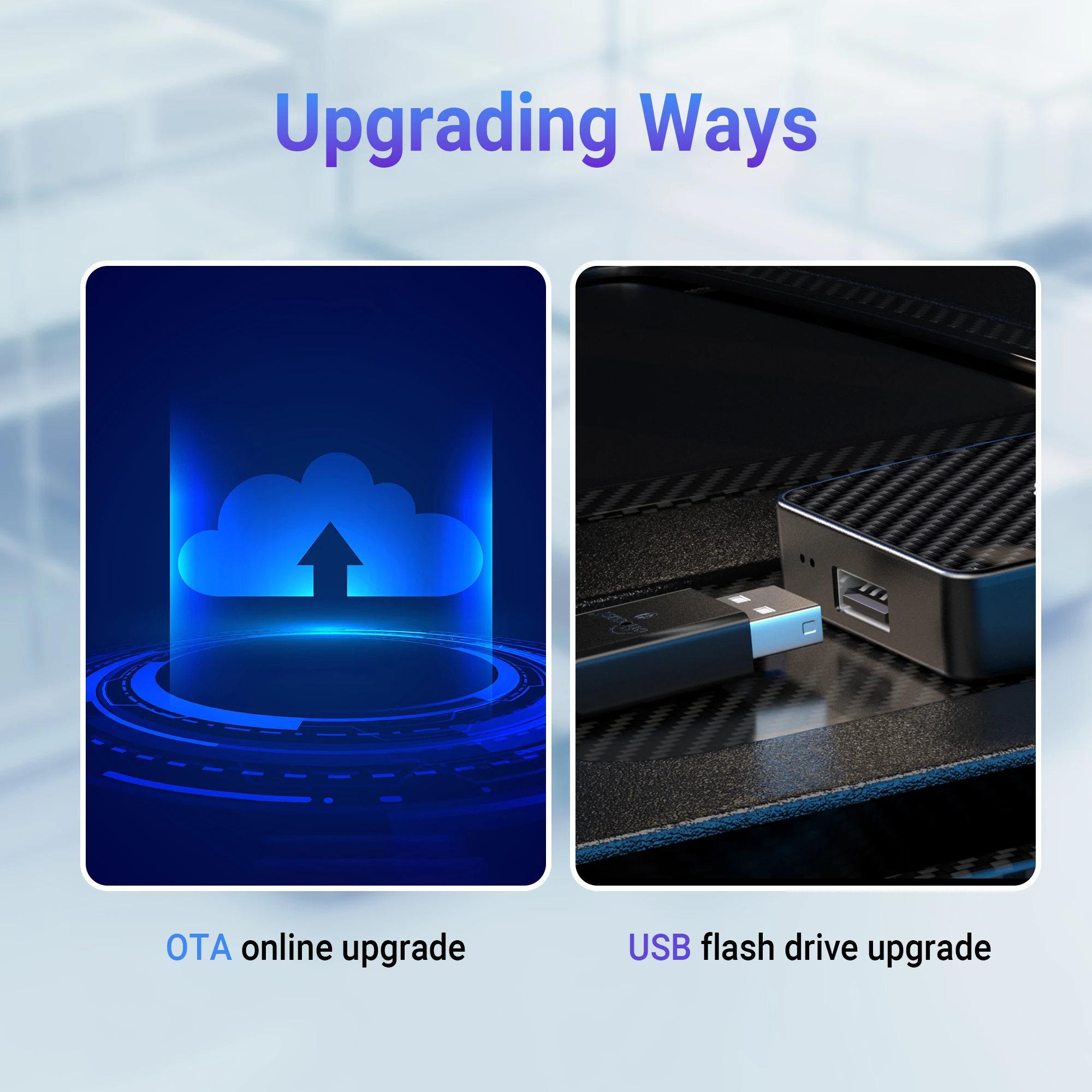
●Bluetooth hands-free talking
It also supports voice assistants, adding a new way to free your hands.Allow you to enjoy the convenience.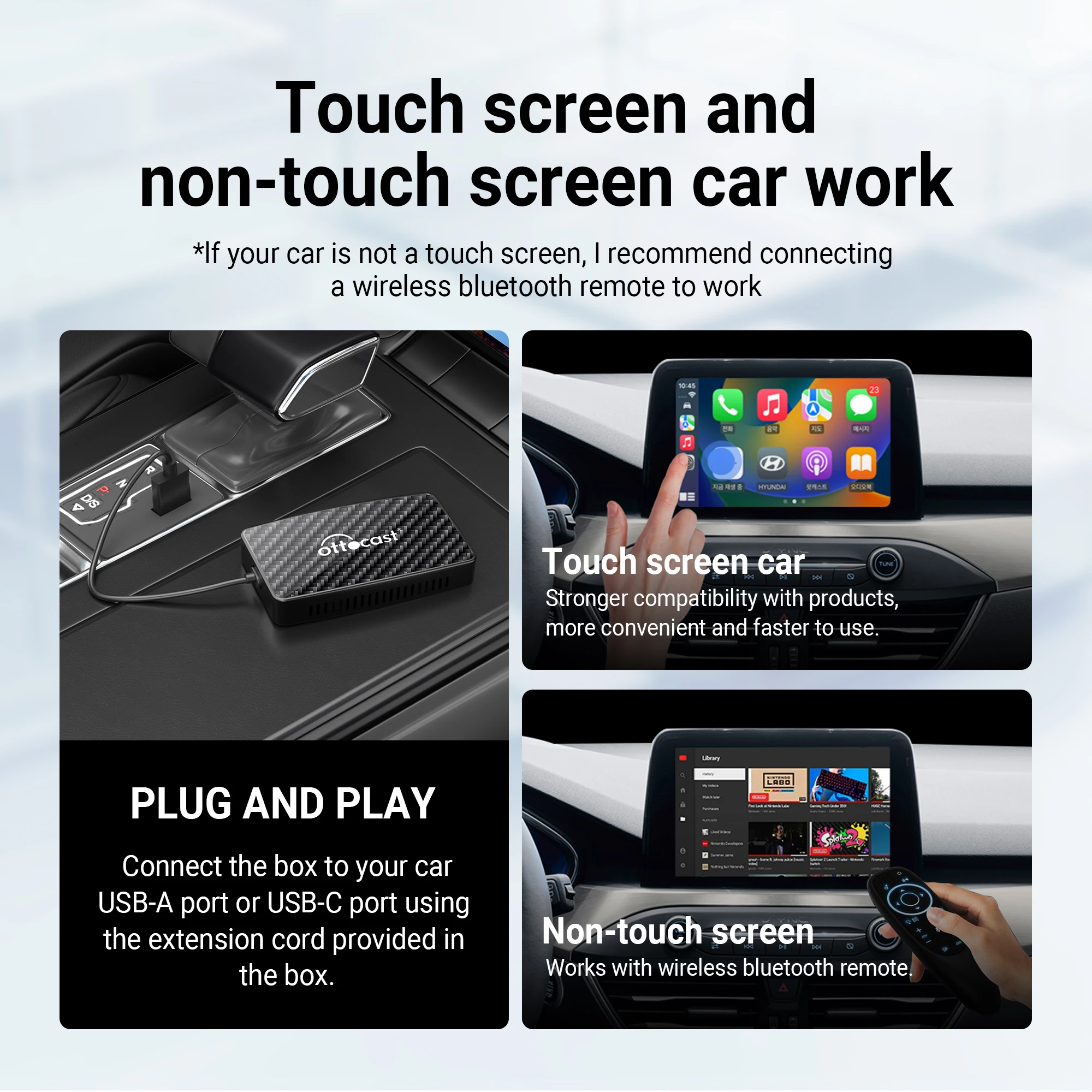
●Other parameters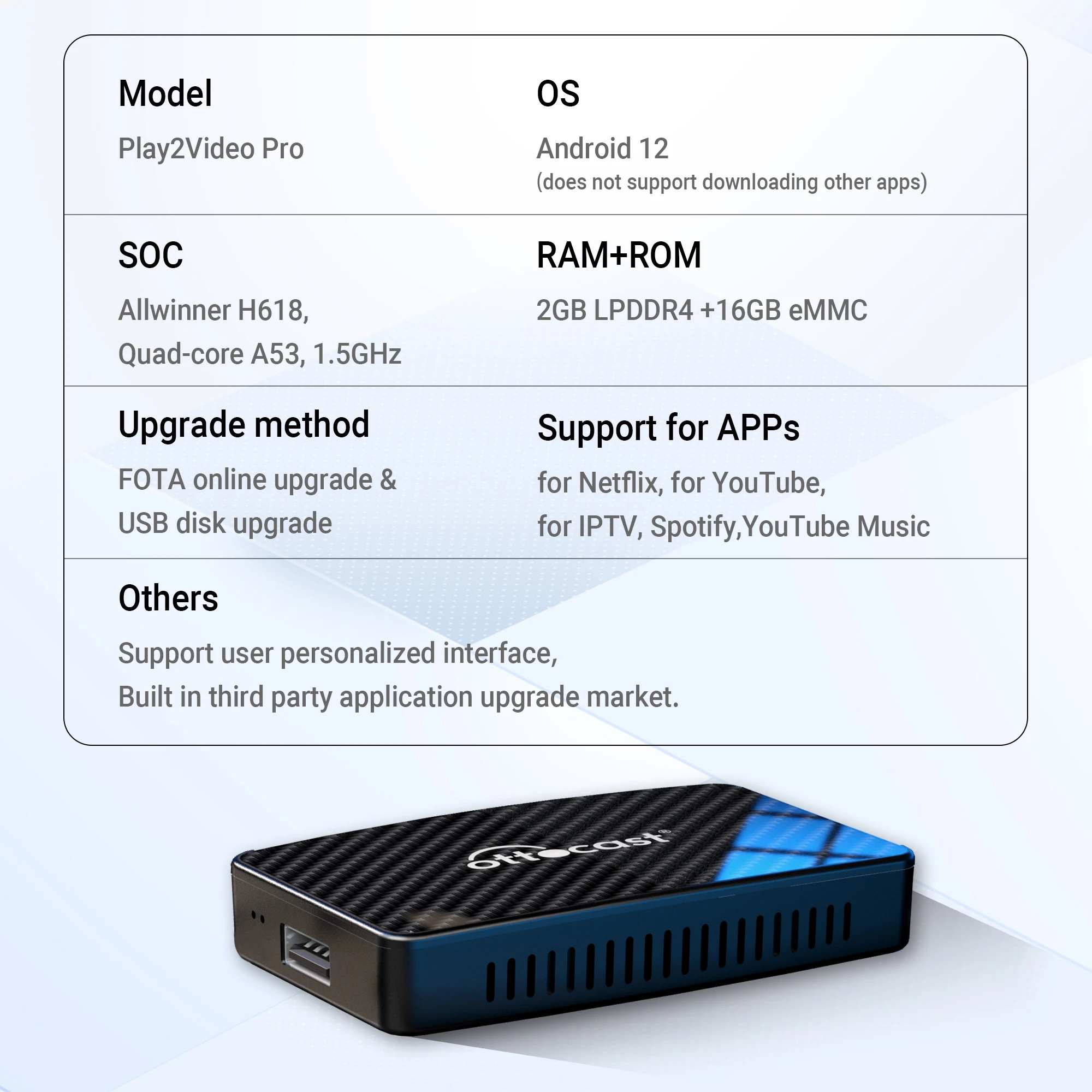
●Car & Phone compatibility
Warm tip: this adapter only fit car with factory wired CarPlay.
*It is suitable for various brands of different series of cars, such as: for Audi, for Mercedes-Benz, for Chevrolet,for Ford, for Porsche, for Volvo, for Volkswagen,for Kia,for Lexus, for Hyundai ,for Honda, for Toyota, for Mazda, for Land Rover,for Jeep, for Subaru etc.
🚫❌cannot for BMW,not for TSL
_____________________________________________________________
*For IOS10 / Android 11 or above and some Samsung, Google phones
🚫❌cannot for HUAWEI,not for xiaomi Redmi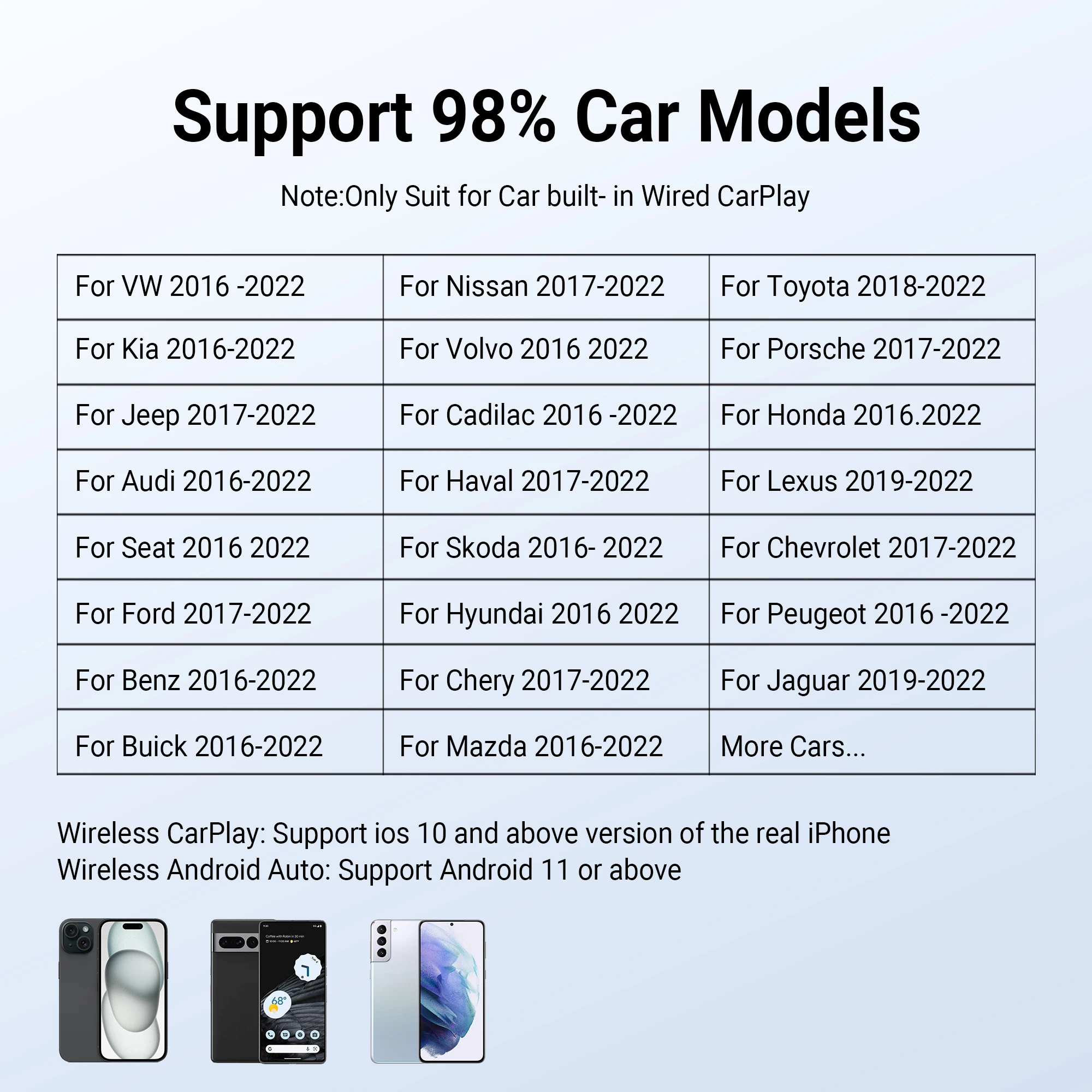 ●Adapter packaging &Specifications
The packaging box has been redesigned and upgraded. It is with USB type A to C and USB type C to C data cables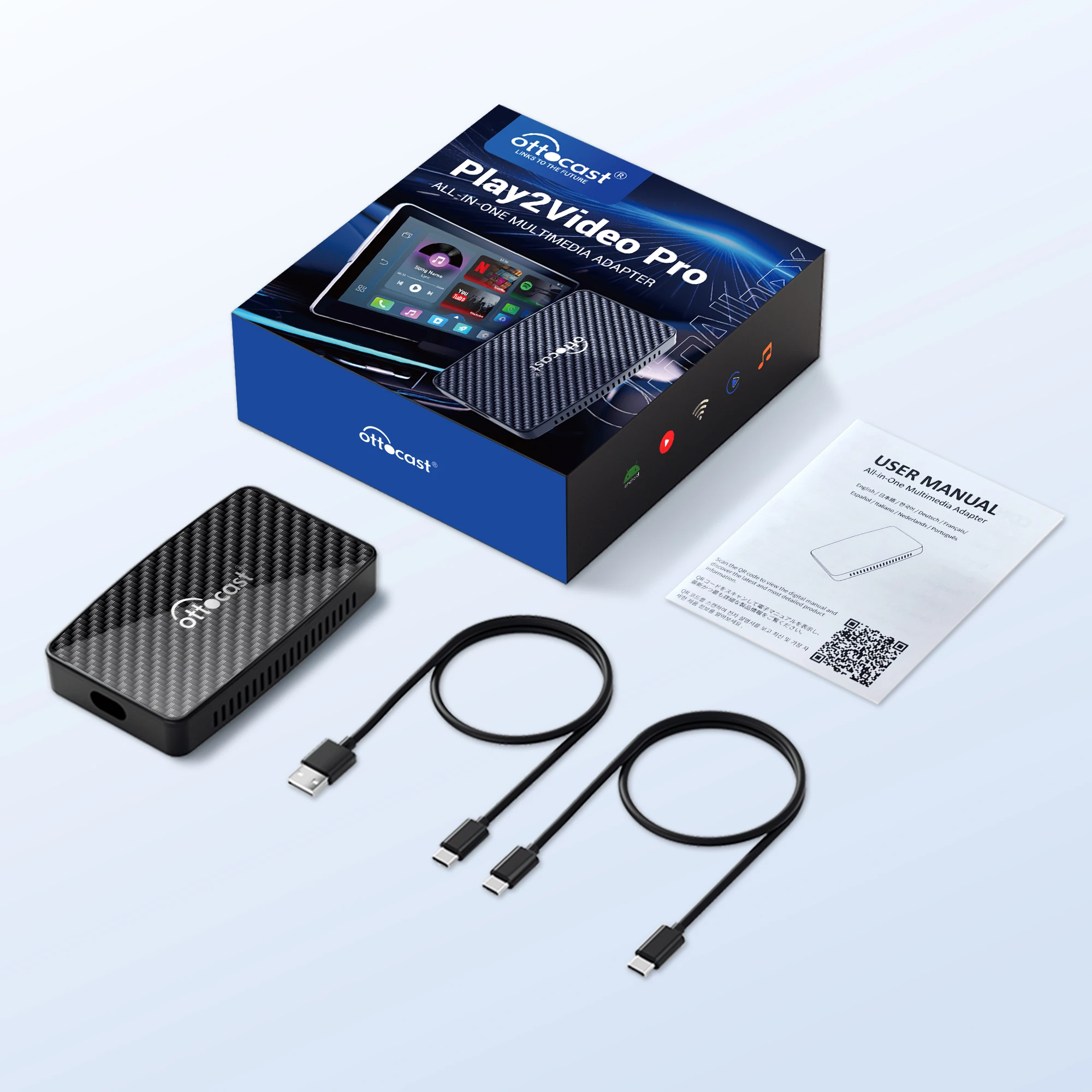
Common problem
Q: How to connect the play2video pro adapter?
A: Please check the following video:
00:01-00:30s:How to connect wireless Android Auto?
00:31-00:57s:How to connect wireless CarPlay?
00:58 -2:05s : Check if your car has built-in wired CarPlay
2:04s -end : Reset the car
Q: After connecting, only the red indicator light is displayed, and there is no display on the car interface
A: Please follow the steps below:(please check the video )
1. Check whether the car machine can use wired carplay normally (whether your car has built-in wired CarPlay protocol)
2. Please check whether the USB cable is loose, unplug it and reconnect it. Or try another cable
3. Reset your car machine
Common problem
Click → How to connect wireless CarPlay?
Click → How to connect wireless Android auto?
Click → How to connect to the Internet to watch videos?
Click → How to check the software version number of the adapter?
Click → How to change the audio streaming mode?
Click → How to turn off automatic connection to wireless CarPlay?
Click → How to restore factory settings?
Click → How to report the issue online?
Click → How to connect the bypass power cable?
If unresolved, kindly message us via the AliExpress Human Support Chat Window, and we’ll address it immediately. Thank you for your patience and cooperation!

お支払いとセキュリティ
お支払い情報は安全に処理されます。 クレジットカードの詳細を保存したり、クレジットカード情報にアクセスすることはありません